Broadcaster1.1.5006
Publisher Description
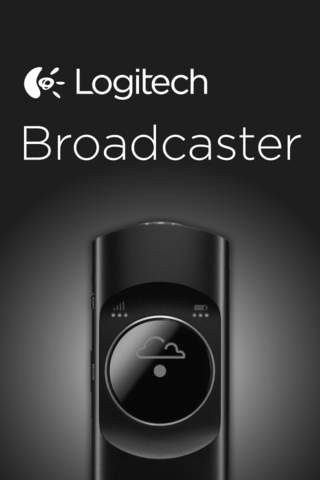
Use Broadcaster with the Logitech Broadcaster Wi-Fi camera to stream live video across the web (via the Ustream hosting service) or record HD on your iPad or iPhone.
When streaming live video, use the Broadcaster app to:
Preview video
Control the camera (pan, tilt, and zoom)
Modify broadcast settings
Announce your video broadcast and share the live URL
Interact with your audience through real-time exchanges
When recording HD video to your iPad or iPhone, use the Broadcaster app to:
Store video clips on your iPad or iPhone
Trim clips and post them directly to Facebook or YouTube
Export video clips for additional editing and sharing
What you need:
A Logitech Broadcaster camera
Access to a wireless network (802.11 g/n) for both the app and the Logitech Broadcaster camera
An iPad running iOS 5.0 or later or an iPhone 4 or iPhone 4S running iOS 5.0 or later. The iPod Touch and iPhone 3GS (or earlier models of iPhone) are not supported.
A Ustream account for streaming video to the web.
Requires iOS 5.0 or later. Compatible with iPhone, iPad, and iPod touch.
About Broadcaster
The company that develops Broadcaster is Logitech Inc.. The latest version released by its developer is 1.1.5006.
To install Broadcaster on your iOS device, just click the green Continue To App button above to start the installation process. The app is listed on our website since 2012-09-20 and was downloaded 9 times. We have already checked if the download link is safe, however for your own protection we recommend that you scan the downloaded app with your antivirus. Your antivirus may detect the Broadcaster as malware if the download link is broken.
How to install Broadcaster on your iOS device:
- Click on the Continue To App button on our website. This will redirect you to the App Store.
- Once the Broadcaster is shown in the iTunes listing of your iOS device, you can start its download and installation. Tap on the GET button to the right of the app to start downloading it.
- If you are not logged-in the iOS appstore app, you'll be prompted for your your Apple ID and/or password.
- After Broadcaster is downloaded, you'll see an INSTALL button to the right. Tap on it to start the actual installation of the iOS app.
- Once installation is finished you can tap on the OPEN button to start it. Its icon will also be added to your device home screen.
